
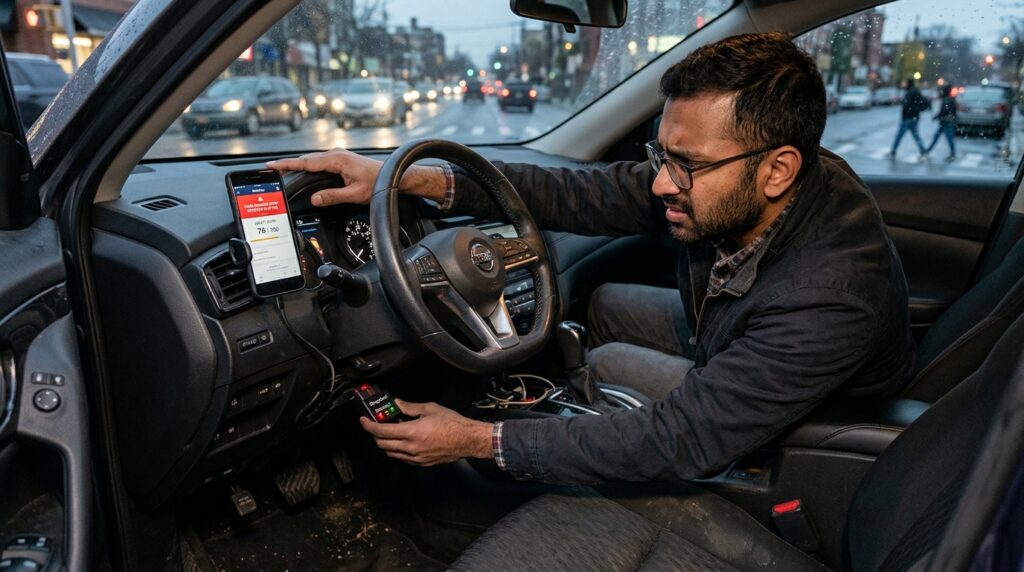
Six months ago, I plugged a small, plastic, blinking black device directly into the OBD-II port under my steering wheel. My auto insurance company had promised me that tracking my driving habits through this little GPS device—combined with an app on my phone—could slash my annual premium by up to 30%. Being someone who loves optimization and saving cash, I jumped at the chance. I figured I was a great driver. I don’t speed, I look both ways, and I treat my car like a prized asset.
Then came my first week’s scorecard on the app, and it was an absolute disaster.
The app flagged me for multiple “hard braking events,” several instances of “late-night driving,” and gave me a safety score that looked more like a failing grade than a discount ticket. What the app didn’t understand was that a stray dog had run out in front of my car on Tuesday, forcing me to slam on the brakes, and I had to drive home from the airport at midnight on Thursday. The algorithm didn’t care about my context; it only cared about raw telematics data streams.
That frustrating first month taught me a valuable lesson: Telematics and behavior-based insurance (BBI) programs can save you a massive amount of money, but only if you know exactly how these systems score your driving and how to avoid the hidden traps built into their algorithms.
Let’s pull back the curtain on how behavior-tracking insurance actually operates, review the top carrier directories for 2026, and break down a practical strategy to maximize your premium discounts without sacrificing your daily sanity.
The Telematics Reality: How Does the Black Box Actually Score You?
Many people assume these tracking systems are just basic GPS units that monitor whether you pass the speed limit. In reality, modern telematics setups combine phone sensor nodes (accelerometers and gyroscopes) with direct vehicle diagnostic data to build a highly complex profile of your real-world driving behavior.
Insurance carriers rely on these data streams to separate safe, predictable drivers from high-risk anomalies. When you enroll in a tracking program, the carrier’s backend script constantly monitors four primary telemetry variables:
1. Braking G-Force Matrix (Hard Braking)
This is the single biggest discount killer across every telematics app on the market. The system triggers a “hard braking event” whenever your vehicle drops its speed by more than a specific threshold—usually around 7 to 10 miles per hour within a single second. Even if you slam on your brakes safely to avoid a reckless driver, the algorithm marks it as a negative event, assuming you were tailgating or distracted.
2. Time-of-Day Risk Windows (The Midnight Trap)
Actuarial data proves that serious road accidents happen at a significantly higher rate during late-night windows—specifically between 11:00 PM and 4:00 AM. If your job or lifestyle requires you to drive during these hours, the telematics system automatically increases your risk index score. Even if you drive perfectly at midnight on an empty road, the clock itself works against your premium discount.
3. Acceleration Violations and Cornering Forces
Slamming your foot down on the gas pedal when a traffic light turns green or whipping around a sharp turn at high speed triggers systemic red flags. The gyroscope inside your smartphone measures lateral G-force. If the device detects aggressive swaying or sudden bursts of speed, your weekly safety tier drops instantly.
4. Phone Distraction Events
If you are using a phone-based telematics app, the script tracks whether your screen is unlocked or if the device physically moves while the vehicle is traveling above 10 MPH. Swiping a notification, changing a song on Spotify manually, or picking up the phone at a red light will often be logged as a “phone distraction event,” destroying your safe driver standing.
Telematics & GPS Tracker Insurance Directory (Top Carrier Index)
If you want to opt into a behavior-tracking setup, you need to know which carriers offer the highest upfront credits and the most transparent scoring apps. The directory matrix below evaluates the industry’s leading telematics platforms based on processing speeds, maximum available discount layers, and hardware configurations:
| Provider Name | Tracking Hardware/Software Setup | Maximum Potential Discount Tier | Upfront Enrollment Discount | Specialized App Optimization Feature |
| 1. Progressive (Snapshot) | Plug-in OBD-II Device or Mobile App | Up to 30% | Instant $25 to $35 Credit | Excellent “Name Your Price” custom limit matching node |
| 2. GEICO (DriveEasy) | Pure Mobile App Tracking Loop | Up to 25% | Up to 10% Off Immediately | Real-time weather and road condition risk adjustments |
| 3. Allstate (Drivewise) | Mobile App Centric Layout | Up to 40% | Instant 10% Cash-Back Onboard | Continuous performance cash-back payouts every 6 months |
| 4. State Farm (Drive Safe & Save) | Mobile App linked to Bluetooth Beacon | Up to 30% | 10% Guaranteed Setup Credit | Bluetooth beacon synchronization prevents false trip logs |
| 5. Nationwide (SmartRide) | Choice of OBD-II or Mobile App | Up to 40% | Instant 10% Rate Lock | Fixed tracking timeline (Only tracks for 4 to 6 months) |
| 6. Liberty Mutual (RightTrack) | Mobile App and Plug-in Tracking Matrix | Up to 30% | Up to 10% Preliminary Reduction | Transparent daily scorecard feedback loops |
| 7. Safeco (RightTrack) | App Node with Hardware Tag Integration | Up to 30% | Instant Baseline Credit Setup | Specialized for multi-vehicle household driver segregation |

Inside the Technology: OBD-II Device vs. Pure Mobile App
When selecting a carrier from our index, you will often have to choose between a physical plug-in device or a software-only app setup. Both models process data differently, and choosing the wrong one can negatively affect your score:
The Physical OBD-II Plug-In Device
This device plugs directly into your vehicle’s internal computer network. Because it draws data straight from your car’s speedometers and braking modules, it is incredibly precise. It cannot be fooled by you using your phone as a passenger. However, it tracks the vehicle itself, meaning if a family member with aggressive driving habits takes your car for a spin, their poor driving will be permanently logged under your policy profile.
The Pure Mobile App Tracking Loop
Mobile apps are much easier to deploy since you don’t have to wait for hardware to ship in the mail. However, they rely entirely on your phone’s internal battery, GPS, and sensor arrays. If your phone slides off the passenger seat during a turn, the app might mistake that movement for a hard cornering event. Furthermore, these apps run continuously in the background, which can cause significant battery drain on older smartphones.
Step-by-Step Strategy: How to Game the Telematics Algorithm for Maximum Savings
If your premium is rising and you want to use a behavior tracker to drive your costs down, follow this precise step-by-step optimization framework to secure the highest discount tier safely:
Step 1: Secure a Dedicated Bluetooth Beacon Setup If Possible
If you choose a carrier like State Farm, make sure you properly install the small Bluetooth beacon they send you onto your windshield behind your rearview mirror. This beacon ensures the mobile app only tracks driving metrics when your phone is physically inside your specific car. If you take an Uber, ride a city bus, or sit in a friend’s vehicle, the beacon disconnects, completely preventing external bad data from ruining your personal scorecard.
Step 2: Use Apple CarPlay or Android Auto Exclusively
To completely eliminate the risk of accidental “Phone Distraction” penalties, plug your phone into your vehicle’s infotainment system before you put the car in drive. Use voice commands via Siri or Google Assistant to manage navigation prompts or change audio tracks. By keeping your phone physically face-down and letting the dashboard screen handle the interfaces, the telematics app logs a perfect zero-distraction safety run.
Step 3: Increase Your Following Distance to Avoid Hard Braking
Since the tracking algorithm scores you strictly on sudden changes in speed, you must adapt your real-world driving habits to match the machine’s parameters. Increase your following distance behind other vehicles to at least three or four car lengths. When approaching a traffic light that has been green for a while, coast early instead of braking at the last second. This subtle adjustment to your driving style will easily eliminate 90% of automated hard braking flags.
Real Use Case: How a Remote Developer Secured a 35% Rate Cut
Let’s look at a real-world scenario. A remote web consultant was driving a modern sedan less than 6,000 miles a year but was still facing high premium charges due to regional rate inflation in their metropolitan zip code.
Instead of accepting the high baseline invoice, the driver signed up for Nationwide’s SmartRide program through an automated digital application:
- They selected the physical OBD-II device option to prevent false smartphone sensor flags.
- They shifted their weekly grocery and errand trips to weekend mornings, completely avoiding high-risk late-night driving windows.
- They maintained clean, gradual acceleration and braking metrics for the required tracking window.
The Strategic Outcome: Because Nationwide’s SmartRide platform only tracks behavior for a fixed 4-month evaluation timeline, the driver’s clean score was locked in permanently after the trial ended. The automated system applied a 35% ongoing discount to their policy, slashing their annual auto insurance expenses by over $680 without requiring continuous tracking for the rest of the year.
Common Pitfalls: Critical Pitfalls to Avoid in Behavior Programs
Avoid these dangerous blunders when managing your telematics insurance parameters:
- Enrolling in a Surcharge-Eligible Program with a Bad Record: Be extremely careful when reading the fine print of your carrier’s program. While platforms like Nationwide promise your rates will never go up based on your data, carriers like Progressive explicitly reserve the right to increase your premiums if the tracking data proves you are a highly aggressive, high-risk driver. If you have a heavy foot or an unpredictable schedule, do not sign up for a surcharge-eligible program.
- Failing to Correct the “Passenger” Status Bug: If you are a passenger in someone else’s vehicle and your mobile app logs the trip, open the app dashboard within 24 to 48 hours. Most platforms (like GEICO or Allstate) let you manually change the trip status from “Driver” to “Passenger” or “Public Transit.” If you ignore these false logs, you are letting someone else’s poor driving habits artificially inflate your personal premium index.
- Letting Your Smartphone Battery Die Mid-Trip: If your phone battery hits zero percent or you manually turn off your location services mid-drive to save battery life, the telematics software logs a data gap error. If the system flags consistent, unexplained blind spots in your mileage tracking history, the algorithm can completely disqualify you from the program, stripping away your hard-earned enrollment credits.
Final Takeaway
Transitioning to a telematics-driven insurance policy is a powerful way to take control of your vehicle expenses in today’s high-inflation market. It shifts the pricing metric away from generic demographic statistics and places the power directly onto your actual over-the-road behavior. If you understand how the algorithm scores G-forces, protect your data stream from false phone movement flags, and utilize structured dash setups, you can easily secure top-tier percentage discounts.
Take charge of your premium footprint by selecting a tracking platform from our digital index that directly matches your lifestyle and comfort levels. Protect your digital communication portals, optimize your driving habits during the trial windows, and lock in your rate reductions. Once your telematics discount is verified and applied to your account, you can drive with absolute confidence, knowing you are paying the absolute lowest possible price for your asset protection shield.